ClaudeTroubleshooting
Claude Not Working? Every Claude Error Message Explained and Fixed
What Claude's usage limit, length limit, capacity and login errors mean, and exactly how to fix each one. Based on Anthropic's official troubleshooting guidance.

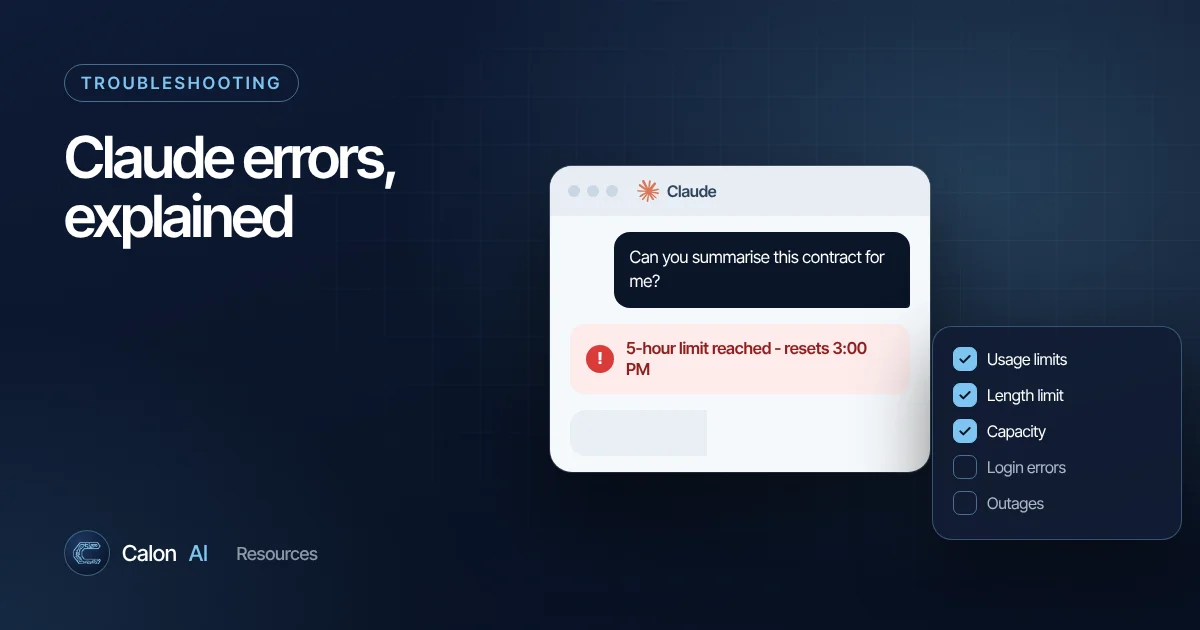
Claude's error messages are more specific than most, which makes them easier to fix once you know what each one means. This guide follows Anthropic's official troubleshooting guidance, with practical tips from using Claude daily.
Usage limit messages
Every Claude plan, free and paid, has a usage limit that resets every five hours and a separate weekly limit. How quickly you use your allowance depends on the length of your conversations, the size of attached files and which model you use.
| Message | What it means | What to do |
|---|---|---|
| "Approaching session limit" or "Approaching weekly limit" | You are close to a limit | Wrap up long tasks, start fresh chats, avoid re-uploading large files |
| "5-hour limit reached - resets [time]" | You have hit the five-hour limit and have no usage credits enabled | Wait until the time shown |
| "You've reached your weekly limit. It resets [day] at [time]." | You have hit the weekly limit | Wait until the reset, or consider a higher plan |
| "5-hour limit resets [time] - continuing with usage credits" | You hit the limit, but work continues on pay-as-you-go credits | Nothing to fix. Keep an eye on spend |
| "Now using credits. Your plan limit resets [day] at [time]." | Requests are now billed to usage credits | Nothing to fix |
How to make your usage go further
- Start new chats for new tasks. Every message in a long chat makes Claude reprocess the whole conversation.
- Attach only what is needed. Extract the relevant pages of a long PDF rather than uploading all 200.
- Use Projects for reference material you use repeatedly, rather than uploading the same files into every chat.
- Choose the right model. Save the most capable models for hard problems; faster models handle everyday drafting well.
- Batch your questions. One clear message with three questions uses less than three separate back-and-forths.
"Your message will exceed the length limit for this chat"
Full message: "Your message will exceed the length limit for this chat. Try attaching fewer or smaller files or starting a new conversation."
Each chat has a maximum amount of text Claude can consider at once (its context window). That includes everything said so far, all attached files and your new message.
How to fix it:
- Split the content. Send long documents in sections and ask for a summary of each.
- Extract the relevant parts. Ask Claude which sections matter first, then work on those.
- Start a new chat with a summary. In the old chat, ask: "Summarise this conversation, including key decisions, figures and open questions, so I can continue in a new chat." Paste that into a fresh chat.
On paid plans with code execution turned on, Claude automatically summarises older parts of long chats, so this error is much rarer.
"Due to unexpected capacity constraints, Claude is unable to respond"
This means Claude is under unusually high demand across the system. It is not an outage and will not appear on the status page. Wait a few minutes and try again. If you are in the middle of important work, copy your draft message somewhere safe first.
"There was an error logging you in"
A generic login failure. Work through these in order:
- Turn off your VPN or proxy.
- Disable browser extensions, or try a private window where extensions are usually off.
- Clear your browser cache and cookies for claude.ai.
- Try a different browser or the Claude desktop or mobile app.
- If it still fails, check status.claude.com.
Service incidents and outages
When there is a genuine incident affecting most users, Anthropic posts it on status.claude.com. If you see errors and the status page shows an active incident, the only fix is to wait.
Problems that are not error messages
Artifacts are not appearing
Artifacts need the file creation capability. Go to Settings, then Capabilities and switch on the option for creating and editing files. On Team and Enterprise plans, ask your admin to enable it in organisation settings. See our guide to Projects and Artifacts.
Claude ignores your instructions
Usually the instruction is buried in a long message or contradicted elsewhere. Put the most important rules at the end of your message, use a short bullet list for constraints, and for recurring rules, add them to your Project instructions. Our prompt writing guide has a reliable structure.
Claude Code problems
Claude Code has its own installation and authentication steps. If the claude command is not found after installing, the install folder is not on your PATH yet. See our Claude Code getting started guide and Anthropic's installation troubleshooting docs.
Building on Claude for your business
If your team relies on Claude, plan limits can become a bottleneck for critical work. Businesses that depend on AI for operations, such as handling enquiries, processing documents or updating a CRM, usually run those tasks through the API inside automated workflows, with monitoring and fallbacks. That is what Calon AI builds. See how we automated learner onboarding from three days to 30 minutes, or talk to our team.
Frequently asked questions
How long do Claude usage limits last?
Claude has a limit that resets every five hours and a separate weekly limit. The message you see states the exact reset time. Paid plans have higher limits, and some plans can continue on pay-as-you-go usage credits.
Is Claude down?
Check status.claude.com for incidents. Note that capacity constraint messages are caused by high demand and are not shown on the status page, so if you see one, simply wait a few minutes and try again.
How do I continue a Claude conversation that is too long?
Ask Claude to write a concise summary of the conversation so far, including key decisions and any files you used. Start a new chat, paste the summary and re-attach only the files you still need.
Why does Claude say there was an error logging me in?
It is a generic login failure. Anthropic recommends turning off your VPN, disabling browser extensions and clearing your browser cache and cookies. If it continues, check the status page.
Sources and further reading
Calon AI Team
Calon AI is a Welsh AI and automation consultancy based in Caerphilly and at the University of South Wales. Our engineers build AI agents, automations and dashboards for founder-led UK businesses, and we write these guides from that hands-on work.
We check facts against official documentation and primary sources at the time of writing and update articles when products change. AI tools change quickly, so confirm prices and plan limits on the provider's own site before you buy.