ChatGPTTroubleshooting
ChatGPT Not Working? How to Fix the Most Common Errors
Fix "Something went wrong", network errors, login loops and slow or missing replies in ChatGPT. Step-by-step checks in the order most likely to work.

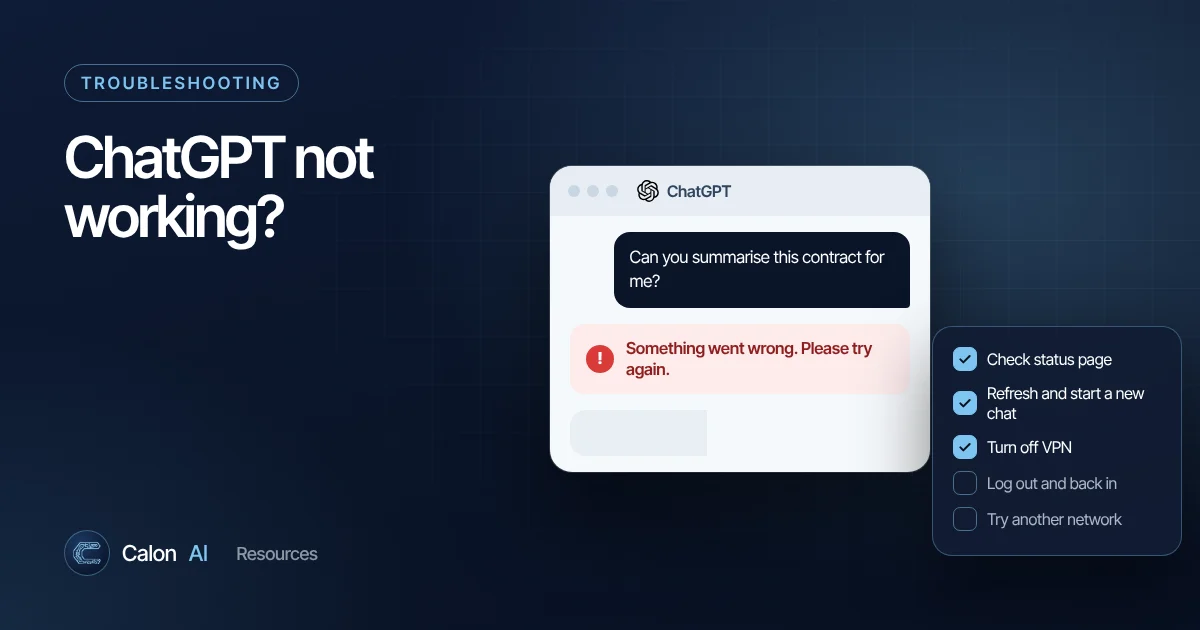
ChatGPT errors are frustrating because the messages rarely tell you what is actually wrong. The good news is that most problems fall into a handful of causes, and you can rule them out in a few minutes. This guide walks through the fixes in the order most likely to work, then explains the specific error messages you might see.
Step 1: Check whether ChatGPT is down
Before changing anything on your side, open status.openai.com. It shows live incidents for ChatGPT, the API and other OpenAI services.
- If there is an incident for ChatGPT, wait. Nothing you do locally will fix a server-side outage. Keep a copy of anything important you were writing.
- If everything is green but ChatGPT still fails, the cause is probably on your side or limited to your account. Carry on with the steps below.
Status pages are updated by people, so a brand-new outage can take a few minutes to appear. If a colleague on a different network has the same problem at the same moment, treat it as an outage.
Step 2: Refresh and start a new chat
It sounds too simple, but it works more often than anything else.
- Refresh the page (Ctrl+R on Windows, Cmd+R on Mac).
- Click New chat and try a short message such as "Hello".
- If the new chat works, the problem was that particular conversation.
Very long conversations are a common culprit. Every reply has to take the earlier conversation into account, so a chat with hours of back-and-forth, large pasted documents or many file uploads can become slow or fail. If you need the context, ask ChatGPT in the old chat for a short summary (or write one yourself), then paste that into a fresh chat.
Step 3: Turn off your VPN or proxy
OpenAI's own troubleshooting advice lists VPNs and secure DNS tools as a common cause of errors. Shared VPN addresses can be flagged by bot protection, and some VPNs drop the long-lived connection ChatGPT uses to stream replies.
Turn the VPN off, refresh and try again. If you must use a VPN for work, try a different server location.
Step 4: Log out and log back in
A stale or corrupted login session causes login loops, repeated "Something went wrong" messages and chats that will not load.
- Click your profile picture and choose Log out.
- Close every ChatGPT tab.
- Wait a minute, then sign in again.
Logging out does not delete your chats. Your history is stored in your account.
Step 5: Try a different network
"A network error occurred" and similar connection messages usually mean your device cannot keep a reliable connection to OpenAI's servers. The quickest test is to switch networks: turn off Wi-Fi on your phone and use mobile data, or tether your laptop to your phone.
- Works on mobile data but not on the office network? Your company firewall or web filter may block or interfere with ChatGPT. Ask IT whether it is permitted.
- Fails everywhere? Move on to the browser checks.
Step 6: Rule out browser extensions and cache
Ad blockers, privacy extensions, script blockers and some password managers can break the ChatGPT interface.
- Open a private or incognito window and sign in there. Extensions are usually disabled in private windows.
- If ChatGPT works in private mode, disable your extensions one at a time in the normal window to find the culprit.
- If it still fails, clear the cache and cookies for chatgpt.com and sign in again.
Step 7: Try another browser or the app
If one browser fails, try another (Chrome, Edge, Safari or Firefox) or the official ChatGPT app for desktop, iPhone or Android. This separates "my browser setup is broken" from "my account or network is the problem". On mobile, OpenAI recommends relaunching the app first and reinstalling it if crashes continue.
Step 8: Check your date, time and device
Secure connections depend on your device clock. If your computer's date or time is wrong, sign-in and connection errors can follow. Set the clock to update automatically, restart the device and make sure your browser is up to date.
What specific ChatGPT error messages mean
| Error message | Most likely cause | What to try |
|---|---|---|
| "Something went wrong" | General error: server issue or local setup | Refresh, new chat, check status page, turn off VPN |
| "A network error occurred" | Unstable connection or a long reply timing out | Different network, shorter request, new chat |
| "Error in message stream" | The reply was interrupted mid-stream | Click regenerate, then try a new chat |
| Login loops or "Too many redirects" | Stale session or blocked cookies | Log out everywhere, clear cookies for the site, allow cookies |
| Usage or message cap messages | You have reached your plan's limit for a model or feature | Wait for the reset time shown, or switch model |
| File upload fails | File too large, unsupported type or an extension blocking it | Smaller file, different format, private window |
Plan limits and the exact wording of messages change over time. If you see a message that is not listed here, OpenAI's error troubleshooting article is the most reliable reference.
When ChatGPT works but the answers are poor
Sometimes ChatGPT "works" but does not do what you need: it ignores instructions, invents details or gives generic answers. That is a different problem with different fixes:
- Be specific about the task, audience and format. Our prompt writing guide shows a simple structure that fixes most vague answers.
- Give it the source material. Paste the document or data rather than asking it to recall facts.
- Ask it to check itself. "List any claims in your answer that you are not certain about" is a useful follow-up.
- Verify anything important. AI assistants can state wrong information confidently, so check figures, quotes and legal or financial points against the original source.
When to contact OpenAI support
If you have worked through every step, the status page is clear and the problem follows you across networks, browsers and devices, it is probably account-specific (for example a billing or verification issue). Use the help widget at help.openai.com and include the exact error text, what you have already tried and roughly when it started.
Making ChatGPT part of your business processes
If ChatGPT is becoming important to how your team works, an outage or a change in plan limits can stop work. Businesses that rely on AI day to day usually move the important tasks into proper workflows: connected to their CRM and inbox, using the API with error handling and a fallback model. That is the kind of system we build at Calon AI. See how an AI enquiry-handling workflow cut first-response time from 24 to 48 hours down to under 30 minutes for a fire and security business.
Frequently asked questions
Why does ChatGPT keep saying "Something went wrong"?
It is a general error. OpenAI says it can come from a temporary problem on their servers or from your own setup. Refresh, start a new chat and check status.openai.com. If it keeps happening, turn off any VPN, try a different network and log out and back in.
Is ChatGPT down right now?
Check status.openai.com, which is OpenAI's official status page. Status pages can take a few minutes to catch up, so if lots of people are reporting problems at once it may be an outage that has not been posted yet.
Will logging out of ChatGPT delete my chats?
No. Your conversation history is stored in your account, not in the browser, so logging out and back in does not remove it.
Why does ChatGPT not work on my work network?
Some company and school networks block AI services or interfere with the connection ChatGPT uses. Try your phone's mobile data. If that works, ask your IT team whether ChatGPT is allowed.
Sources and further reading
Calon AI Team
Calon AI is a Welsh AI and automation consultancy based in Caerphilly and at the University of South Wales. Our engineers build AI agents, automations and dashboards for founder-led UK businesses, and we write these guides from that hands-on work.
We check facts against official documentation and primary sources at the time of writing and update articles when products change. AI tools change quickly, so confirm prices and plan limits on the provider's own site before you buy.