ChatGPTBeginner guide
How to Use ChatGPT: A Practical Beginner's Guide for Work
Learn how to use ChatGPT step by step: signing up, writing good requests, uploading files, Projects, memory and custom instructions, with real work examples.

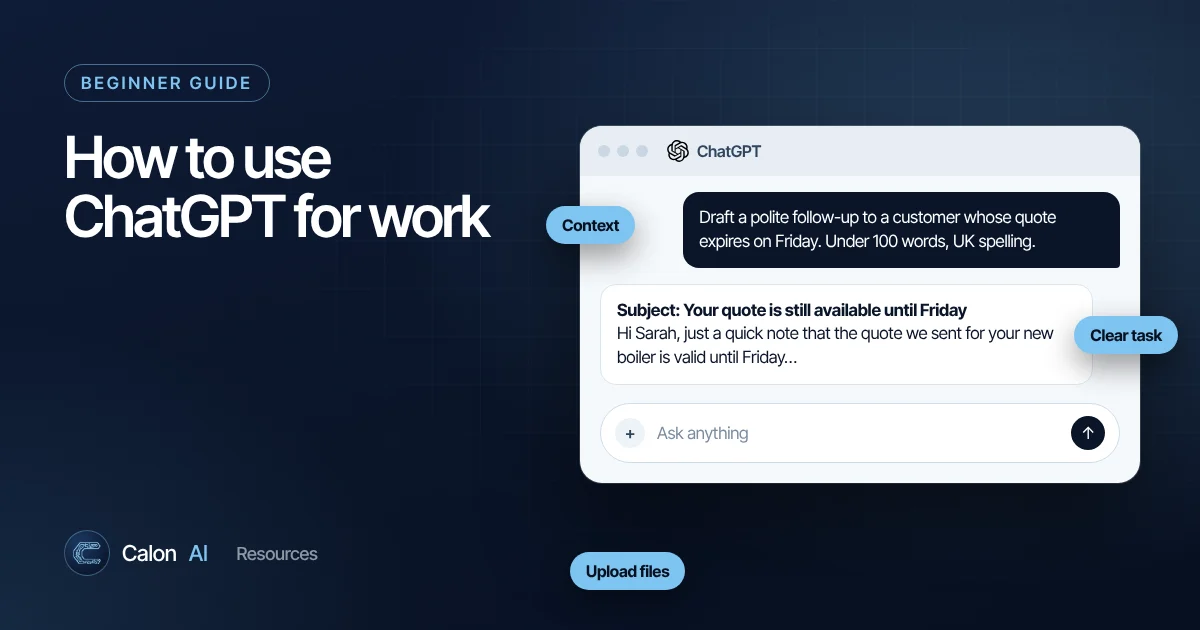
ChatGPT is OpenAI's AI assistant. You type (or speak) a request in plain English and it writes, summarises, explains, analyses data, drafts emails and much more. This guide covers what you need to get genuinely useful work out of it, not just a clever demo.
Getting started in five minutes
- Open chatgpt.com in your browser, or install the official ChatGPT app for Windows, Mac, iPhone or Android.
- Sign up with an email address or an existing Google, Microsoft or Apple account.
- Type a request in the message box at the bottom and press Enter.
- Keep the conversation going. ChatGPT remembers what has been said earlier in the same chat, so you can say "make it shorter" or "now turn that into a table" without repeating yourself.
- Start a new chat (top left) when you switch to an unrelated task. Mixing topics in one long chat makes answers worse.
There is a free plan and several paid plans. Paid plans mainly give you higher usage limits, access to the most capable models and extra features. Check the official pricing page for current plans, because they change often.
The anatomy of a good request
Most disappointing ChatGPT answers come from requests that are too short. "Write a job advert" gets you something generic. Compare it with this:
Write a job advert for a heating engineer at a 12-person
boiler installation company in Cardiff.
Audience: experienced Gas Safe engineers who are tired of
agency work.
Include: van and tools provided, £38k to £44k, 4-day week option.
Tone: straightforward, no corporate buzzwords.
Format: headline, 3 short paragraphs, then a bullet list of
requirements. Under 250 words.
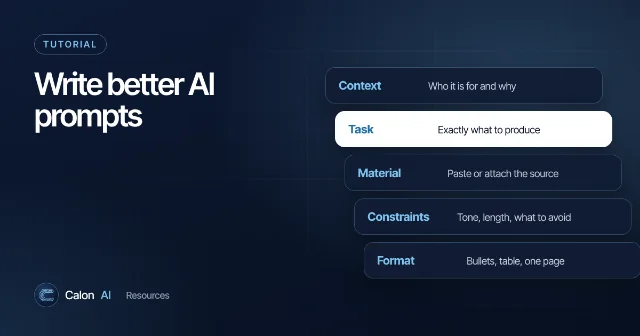
That request includes four things that make a big difference:
- Context: who you are and the situation.
- The task: exactly what you want produced.
- Constraints: what to include, what to avoid, length and tone.
- Format: how the answer should be laid out.
Our prompt writing guide goes deeper, with templates you can copy.
Ten things ChatGPT is genuinely good at in a business
| Task | Example request |
|---|---|
| Drafting emails | "Reply to this complaint politely, accept the delay, offer a revised date of Friday." |
| Summarising documents | Upload a contract: "Summarise the payment terms, notice period and any penalties." |
| Meeting notes | Paste a transcript: "List decisions, owners and deadlines as a table." |
| Spreadsheet help | "Write an Excel formula that flags invoices more than 30 days overdue." |
| Data analysis | Upload a CSV: "Which five customers grew the most year on year? Show a chart." |
| Writing policies | "Draft a one-page policy for staff using AI tools, for a 20-person UK business." |
| Brainstorming | "Give me 15 subject lines for our boiler service reminder email." |
| Rewriting | "Rewrite this for a customer with no technical knowledge." |
| Research | "Search the web for current UK grants for heat pump installers and cite sources." |
| Learning | "Explain VAT reverse charge for construction like I am new to bookkeeping." |
Upload files instead of describing them
You can attach documents, PDFs, spreadsheets and images using the paperclip or + button. This is one of the most useful habits to build:
- ChatGPT works from the real content rather than your summary of it.
- It can quote the relevant clause or cell, so you can check its answer.
- For spreadsheets, it can run calculations and produce charts.
Remove personal or confidential information first unless you are on a plan and settings your business has approved. See is it safe to use ChatGPT with company data.
Use Projects for ongoing work
Projects keep related chats, files and instructions together. For example, a "Tender responses" project could hold your company profile, case studies and a standard instruction like "always write in UK English and refer to us as Calon AI". Every new chat in that project starts with that context.
Use a project when you return to the same kind of task repeatedly. Use a normal chat for one-off questions.
Set custom instructions and understand memory
Custom instructions (in Settings, under Personalization) let you tell ChatGPT things that apply to every chat, such as your role, your industry and how you like answers formatted. A short example: "I run a 15-person electrical contractor in Wales. Use UK spelling. Keep answers concise and practical."
Memory lets ChatGPT remember useful details across conversations. You can view, edit or delete memories, or turn the feature off entirely, in Settings. If you share a device or handle sensitive work, review what it has stored.
Voice, images and web search
- Voice: tap the microphone or voice icon to talk instead of typing. Useful when driving between jobs (hands-free, of course) or thinking out loud.
- Images: ask it to create an image, or upload a photo and ask questions about it, such as "What is this error on the boiler display?"
- Web search: ask for current information and ChatGPT can search the web and cite its sources. Click the citations to check them.
Custom GPTs
A custom GPT is a version of ChatGPT set up for one job, with its own instructions and reference files. For example, a "Quote checker" GPT that knows your price list and flags anything outside your margins. You can keep it private or share it with your team. Projects suit your own ongoing work; custom GPTs suit a repeatable tool other people will use.
Common mistakes to avoid
- Trusting facts without checking. AI assistants can produce confident but wrong answers. Verify figures, names, dates, laws and quotes.
- One endless chat. Long conversations get slower and less accurate. Start fresh for new tasks.
- Vague requests. Add context, constraints and a format.
- Pasting sensitive data into a personal account. Agree a policy first.
- Accepting the first draft. Ask for alternatives, a shorter version or a different tone. Iteration is where the quality comes from.
If something goes wrong
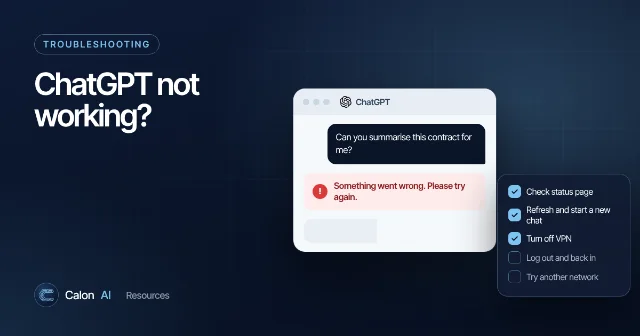
Errors such as "Something went wrong" or "A network error occurred" usually have simple fixes. Our step-by-step ChatGPT troubleshooting guide covers them in order.
From personal tool to business system
ChatGPT on its own is a personal productivity tool: one person, one chat, copy and paste in and out. The bigger gains come when AI is connected to the systems your business already runs on, such as your CRM, job management software, inbox and accounts, so the work happens automatically. That is what Calon AI builds. If you are curious what that looks like, read about The AI Brain, which puts one chat across your CRM, Xero, inbox and more.
Frequently asked questions
Is ChatGPT free to use?
Yes, there is a free plan with usage limits. Paid plans add higher limits, more capable models and extra features. Plans and prices change regularly, so check chatgpt.com/pricing for the current options in your country.
Do I need to download anything to use ChatGPT?
No. You can use it in any modern browser at chatgpt.com. There are also official apps for Windows, Mac, iPhone and Android if you prefer.
Can ChatGPT see my other files or emails?
Only what you share with it, such as files you upload, text you paste or apps you deliberately connect. It does not read your computer or inbox on its own.
Is it safe to put company information into ChatGPT?
It depends on your plan, settings and the type of data. Business plans offer stronger data controls than personal accounts. Read our guide to AI data privacy before you share customer or employee personal data.
Sources and further reading
Calon AI Team
Calon AI is a Welsh AI and automation consultancy based in Caerphilly and at the University of South Wales. Our engineers build AI agents, automations and dashboards for founder-led UK businesses, and we write these guides from that hands-on work.
We check facts against official documentation and primary sources at the time of writing and update articles when products change. AI tools change quickly, so confirm prices and plan limits on the provider's own site before you buy.