AI for BusinessGuide
How to Automate Repetitive Business Tasks with AI: A Practical Framework
Find the tasks worth automating, choose between simple automation and AI, and build your first workflow. A practical framework with real examples from UK businesses.

Almost every business owner we speak to says the same thing: too much of the week goes on admin that does not need a human. Chasing paperwork, retyping enquiries into the CRM, building the same report every Monday. This guide shows how to find the right tasks, decide what actually needs AI and build your first automation without wasting money.
Step 1: Find the tasks worth automating
For one week, ask everyone to note tasks they do repeatedly. Then score each one from 1 to 5 on:
- Frequency: how often it happens.
- Time: how long it takes each time.
- Rules: how predictable it is. Does it follow the same steps every time?
- Pain: what a mistake or delay costs, such as a lost lead, a payroll dispute or a failed audit.
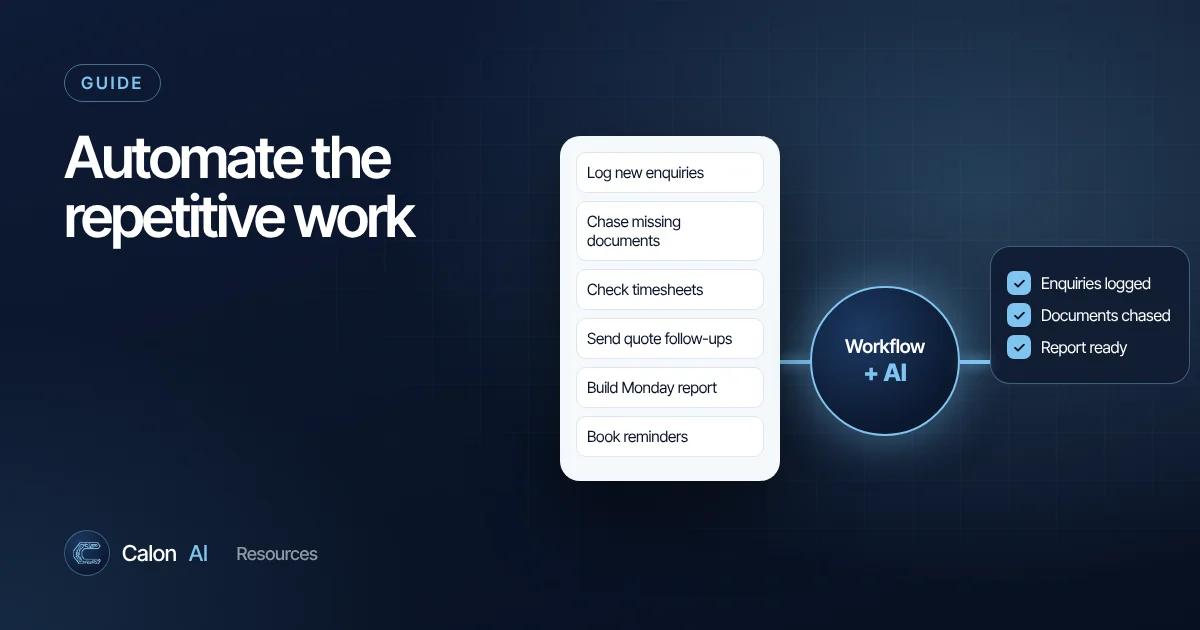
The best candidates score high on all four. Typical winners in service businesses:
| Task | Why it is a good candidate |
|---|---|
| Logging website enquiries into the CRM | Happens daily, pure copying, slow replies lose work |
| Chasing missing documents | Repetitive, rules-based, compliance risk when missed |
| Weekly timesheet and payroll checks | Same steps every week, disputes are costly |
| Quote follow-ups | Easy to forget, directly affects revenue |
| Monday reporting from spreadsheets | Manual, error-prone, decisions depend on it |
| Booking confirmations and reminders | High volume, fixed rules, no-shows cost money |
Step 2: Map the process exactly as it happens today
Write down every step, including the awkward bits people do from memory. For example, handling a new enquiry:
- Enquiry arrives by web form, email or phone.
- Someone reads it and decides if it is serious.
- They create a contact in the CRM.
- They check the postcode is in the service area.
- They reply with available survey dates.
- They add a follow-up reminder.
Mapping often reveals steps that can simply be deleted.
Step 3: Decide which steps need AI and which do not
This is where many projects go wrong. Most automation does not need AI. Use the simplest tool that works:
| Type of step | Example | Use |
|---|---|---|
| Moving data between apps | Form entry creates CRM contact | Workflow automation |
| Fixed rules | If postcode starts with CF, assign to Cardiff team | Workflow automation |
| Scheduled actions | Send a reminder 48 hours before the survey | Workflow automation |
| Understanding free text | "Is this enquiry urgent? What service do they want?" | AI |
| Extracting from documents | Pull the policy number and expiry date from a PDF | AI |
| Writing | Draft a tailored reply for a person to approve | AI |
| Summarising | Turn a call recording into job notes | AI |
Rules-based steps are cheap, fast and predictable. AI steps add judgement but need checking, so keep them to the places they add real value.
Step 4: Choose your tools
- Native integrations between your existing apps, if they exist. Cheapest and simplest.
- No-code workflow tools such as Zapier, Make or n8n for connecting apps and adding logic. See our comparison.
- AI models such as Claude, GPT or Gemini, called as a step inside the workflow for the judgement parts.
- Custom development when the process is critical, high-volume or involves software without ready-made integrations.
Step 5: Build one workflow, with a safety net
- Start small. Automate the first three steps of one process, not the whole business.
- Keep a human in the loop. For customer-facing messages, have AI draft and a person approve, at least for the first few weeks.
- Handle failures. Add an alert when a step fails, so nothing quietly stops working.
- Test with real examples, including messy ones: missing fields, duplicates, angry customers.
- Write it down. What it does, which accounts it uses and who owns it.
Step 6: Measure, then expand
Track a simple before-and-after:
- Hours per week spent on the task.
- Response time, such as how quickly enquiries get a reply.
- Error rate, such as incomplete files or duplicate records.
When the numbers show it is working, move to the next task on your list. Workflows build on each other: once enquiries flow cleanly into your CRM, quote follow-ups and reporting become easy to automate too.
Real examples from UK businesses
These are results from systems Calon AI has built:
- Learner onboarding: a construction training provider cut onboarding from three days to 30 minutes for clean cases, and incomplete files at course start fell from 25% to under 5%. Read the case study.
- Timesheets and payroll: a fire and security installer recovered four to six hours of office time a week and cut payroll disputes by more than 90%. Read the case study.
- Enquiry handling: first response time fell from 24 to 48 hours to under 30 minutes, with every enquiry covered across all channels. Read the case study.
Data protection: do not skip this
If your automation processes personal data, such as customer details or employee records, UK GDPR still applies. Know what data flows where, use business accounts with appropriate data settings, limit access and keep records. Our guide to AI data privacy for UK businesses covers the essentials, and the ICO's AI guidance is the authoritative source.
Want help choosing where to start?
The hardest part is usually picking the right first workflow. In a 15-minute call we will look at how your business runs and tell you honestly where automation would pay back fastest, or if it would not. Book your call.
Frequently asked questions
What business tasks can be automated with AI?
Common examples are qualifying and routing enquiries, extracting data from documents and invoices, drafting replies for approval, chasing missing paperwork, summarising calls and meetings, updating CRM records and producing regular reports.
Do I need AI to automate my business?
Often not. Moving data between apps, sending reminders and creating records follow fixed rules and only need workflow automation. AI is useful for steps that involve understanding text, making judgements or writing.
How much does business automation cost?
A simple workflow on a no-code tool can cost a few pounds a month. Custom systems that connect several apps, use AI and need monitoring cost more to build, so measure the time saved and the cost of errors to work out whether it pays back.
Will automation replace my staff?
In the small businesses we work with, automation usually removes the admin people dislike and frees them for customer-facing and skilled work. The goal is the same team handling more work with fewer mistakes.
Sources and further reading
Calon AI Team
Calon AI is a Welsh AI and automation consultancy based in Caerphilly and at the University of South Wales. Our engineers build AI agents, automations and dashboards for founder-led UK businesses, and we write these guides from that hands-on work.
We check facts against official documentation and primary sources at the time of writing and update articles when products change. AI tools change quickly, so confirm prices and plan limits on the provider's own site before you buy.